
Log Monitoring

Unify log data from your entire tech stack with rich context to identity, troubleshoot issues faster, and improve overall performance.

Try without card

Trusted By Leading Companies

Bardeen
Hotplate
Brainboard
Generation Esports
Log Monitoring Tool

Complete Log Data Visibility

Middleware Log Monitoring provides centralized, cost-effective log management that's easy to search and filter, giving complete visibility across your infrastructure and applications for faster troubleshooting.

Centralized Log Management

Collect, parse, and analyze logs from all your applications and infrastructure in one place.

Real-time Log Analysis

Get instant insights into your application behavior with real-time log processing and analysis.

Advanced Search & Filtering

Find exactly what you're looking for with powerful search capabilities and intelligent filtering.

From Logs To Insights

Comprehensive Monitoring

Comprehensive Monitoring

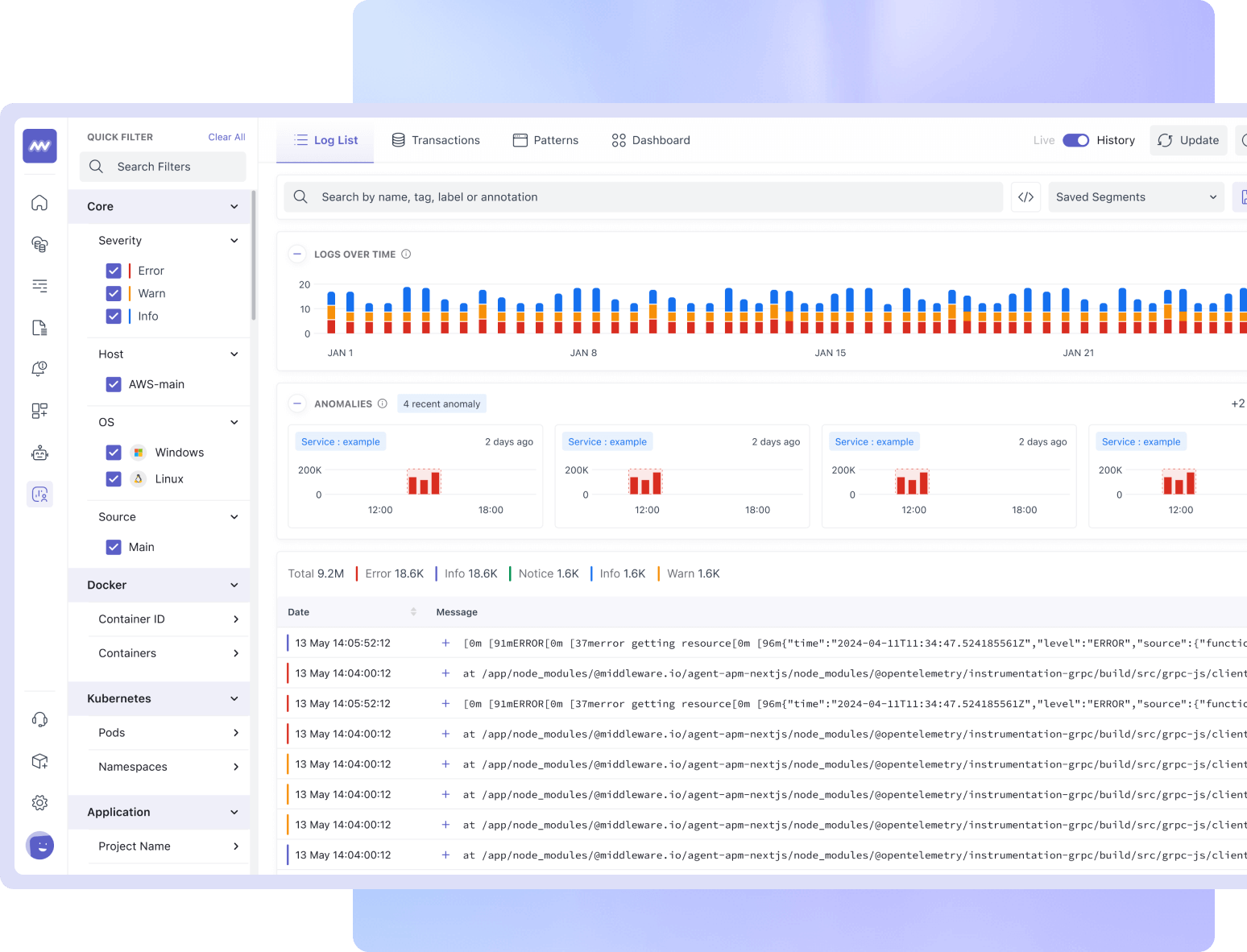
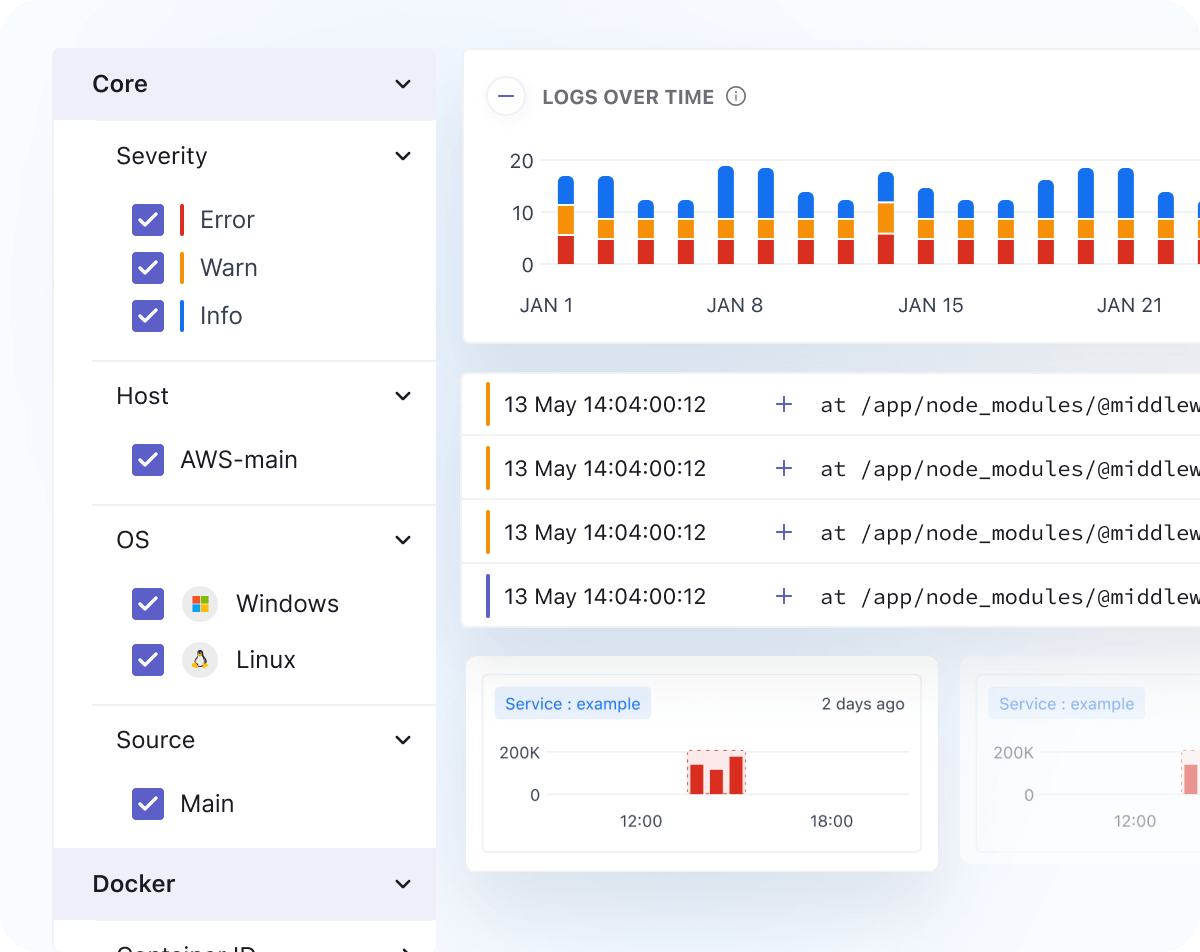
  • Collect logs from across your stack, including applications, cloud services, and on-premises infrastructure
  • Monitor logs in real-time, with customizable dashboards, reusable filters, and alerts
  • Analyze logs with advanced search, filtering, and log pattern detection
Log Patterns

Log Patterns

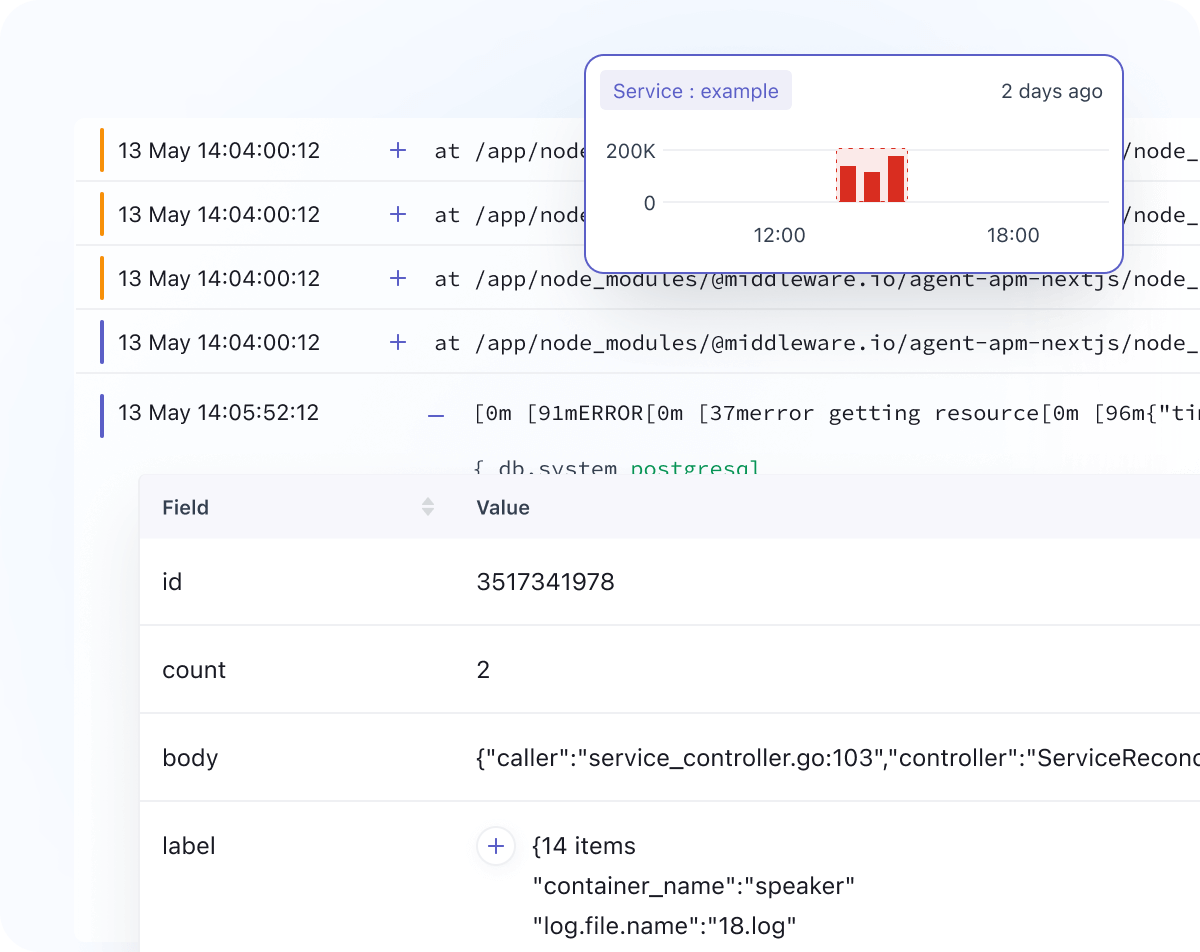
  • Find similar logs with log pattern detection
  • Drill deeper with Pattern Inspector to understand at a glance the distribution of values within each pattern
  • Jump-start exploration with Log Patterns, which intelligently surfaces trends in log activity
Log Pipeline

Log Pipeline

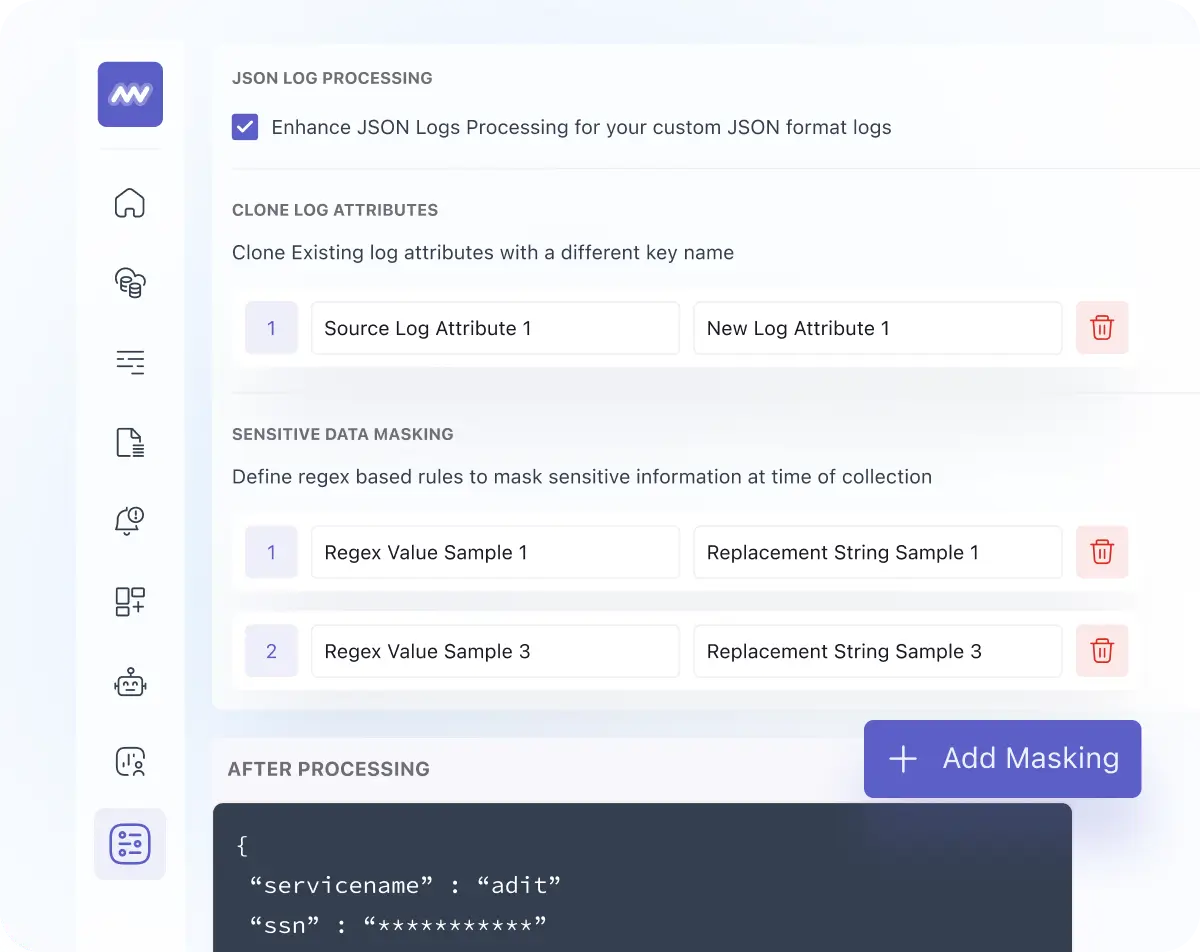
  • Control log volumes with a flexible pipeline that manages log ingestion at scale
  • Reduce log volume and cost by configuring processor rules, filtering logs by attribute, and dropping them as per configuration at the ingestion level
  • Use regex parsing to add custom attributes or drop unwanted logs
  • Build, monitor and manage log pipelines through the settings panel easily
Logging at scale

Logging at scale

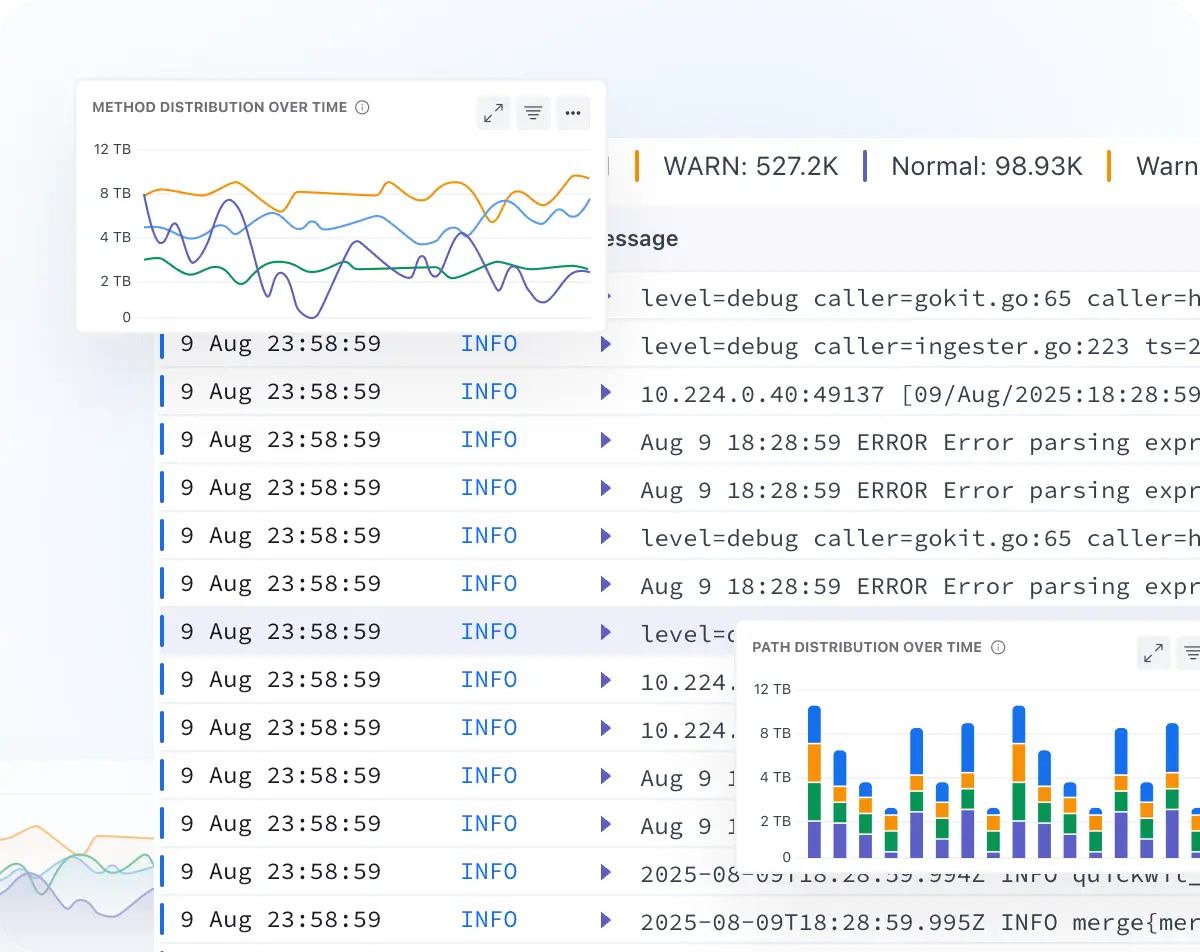
  • Scale without worrying about cost and performance
  • Send and process millions of logs per minute seamlessly
  • Longer log retention without any additional cost
  • Rapid troubleshooting and log analytics with no querying language
Seamless Correlation

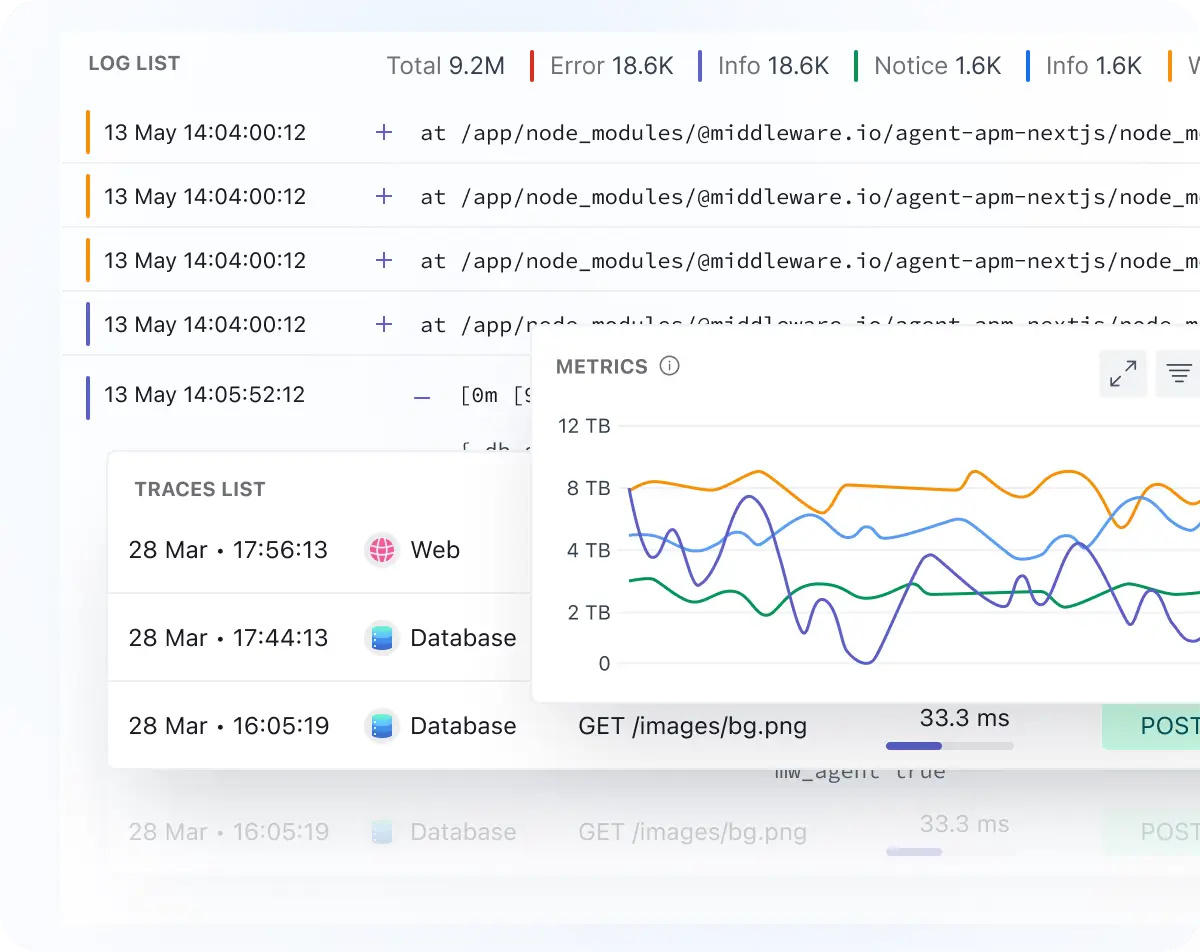
Seamless Correlation

  • Correlate logs with corresponding APM traces, metrics with a single click for full context
  • Easily navigate from dashboards to associated log, source logs for faster troubleshooting
  • View all log attributes, related logs, and log properties with one click
Time Travel

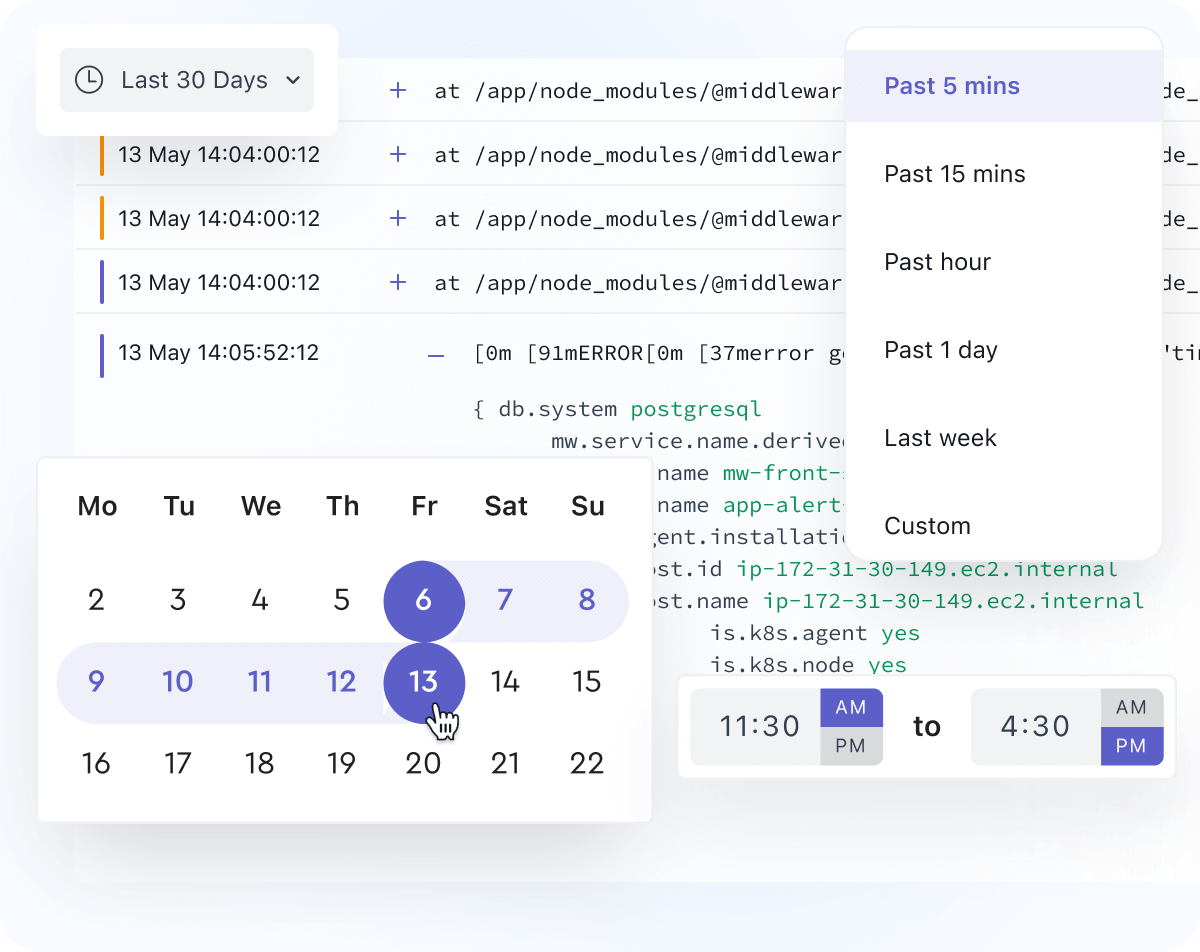
Time Travel

  • View historical log data with the time travel feature
  • Analyze log data from up to 6 months ago
  • Use time travel to identify trends and patterns in log data

Try it for free and watch how it caters to all your needs Sign Up Now

Take An Interactive Tour For Platform Understanding

Check out this step-by-step, interactive demo of Middleware's Log Monitoring.

Deploy Agents & Integrate in a Snap

Kubernetes

View Docs

Docker

View Docs

Windows

View Docs

200+

Agents & Integrations

View Docs

Still Struggling? We're Just a Message Away!

Contact us

Handpicked Resources to Guide You

knowledge

What Is Log Monitoring? A Detailed Guide [Updated]

Read Now

knowledge

How To Search Logs Effectively With Log Management

Read Now

FAQs

Everything you want to know about the Log Monitoring

What is Log Monitoring?

Log Monitoring helps you collect, analyze, and correlate log data from across your tech stack to identify trends, patterns, and issues, and improve performance.

From which sources can I collect logs?

You can collect logs from your infrastructure, application, cloud services, and on-premise setup and view them in one place in Middleware.

Why Middleware for log monitoring?

Easy to set up without any additional configuration for log monitoring. AI search and reusable filters help to identify issues faster and reduce MTTR. It allows you to create alerts on it for faster troubleshooting.

How can I get started with Middleware logs?

Setting up logs with Middleware is simple. It doesn't require any additional setup; you can configure the Infrastructure agent for infrastructure-level logs and APM for application logs. Once the agent is configured, it will start collecting logs, and you can view them in the Middleware log dashboard.

How long can I store logs with Middleware?

The default retention period is 30 days for logs (which can be extended on request).

Optimize More, Worry Less With Middleware